If you use PDFescape
,
Fillfront vs PDFescape · Online PDF editor
PDFescape is a cheap, straightforward PDF editor, and its free version will add form fields to a PDF. What you end up with is a fillable file. Getting it filled in by twenty people on their phones, and back to you, is still your job. Fillfront does that part.
Set it to what you actually need.
Over three years you keep . Both cost nothing here. PDFescape gives you a fillable file to send out. Fillfront gives you a link, and the replies come back to you. PDFescape costs less at this size. Each Fillfront form after the first is one payment. Theirs renews. Fillfront is paid once per extra form.
If you use PDFescape
,
If you use Fillfront
Paid once, unlimited replies
No more charges. Nothing renews, nothing to cancel.
PDFescape prices read from www.pdfescape.com on 12 November 2026, in US dollars.
You add fields in PDFescape, download the file and email it to the parents in your class for a school trip permission slip.
Then the replies arrive the way emailed PDFs always do. A few are typed in properly. Some are printed, signed and photographed on the kitchen table. One opened fine on a laptop and came back blank. Several never come back, and you start a spreadsheet to track who is missing.
PDFescape's free share link doesn't help with that. Its own page says a shared copy can be viewed, downloaded and printed, but not changed. With Fillfront the parents open a link, answer on their phones, and you get one completed slip per child plus a CSV of every answer.

If one of these is the reason you use it, stay. We would rather you did than switch and find a gap.
Add text, white out a mistake, insert or delete pages, password-protect a file. Fillfront does none of that.
If someone has asked you for a fillable PDF, PDFescape makes one for free. Fillfront doesn't export a fillable file.
Premium is $2.99 a month billed yearly, about as cheap as paid PDF software gets. The free version adds no watermark to your file.
For one form you fill in on a laptop and send off, an editor is all you need.
| PDFescape | Fillfront | |
|---|---|---|
| Add fields to a PDF | Yes, free | Yes, free, most found for you |
| What you share | A fillable PDF file | A link to a web form |
| The person filling it in needs | A PDF app that handles fields | A browser |
| Free share link | View, download and print only | Fill in and send |
| Where replies end up | Your inbox, if people send them | Your dashboard, one PDF each |
| Edit the PDF's own text | Premium, from $2.99 a month | No |
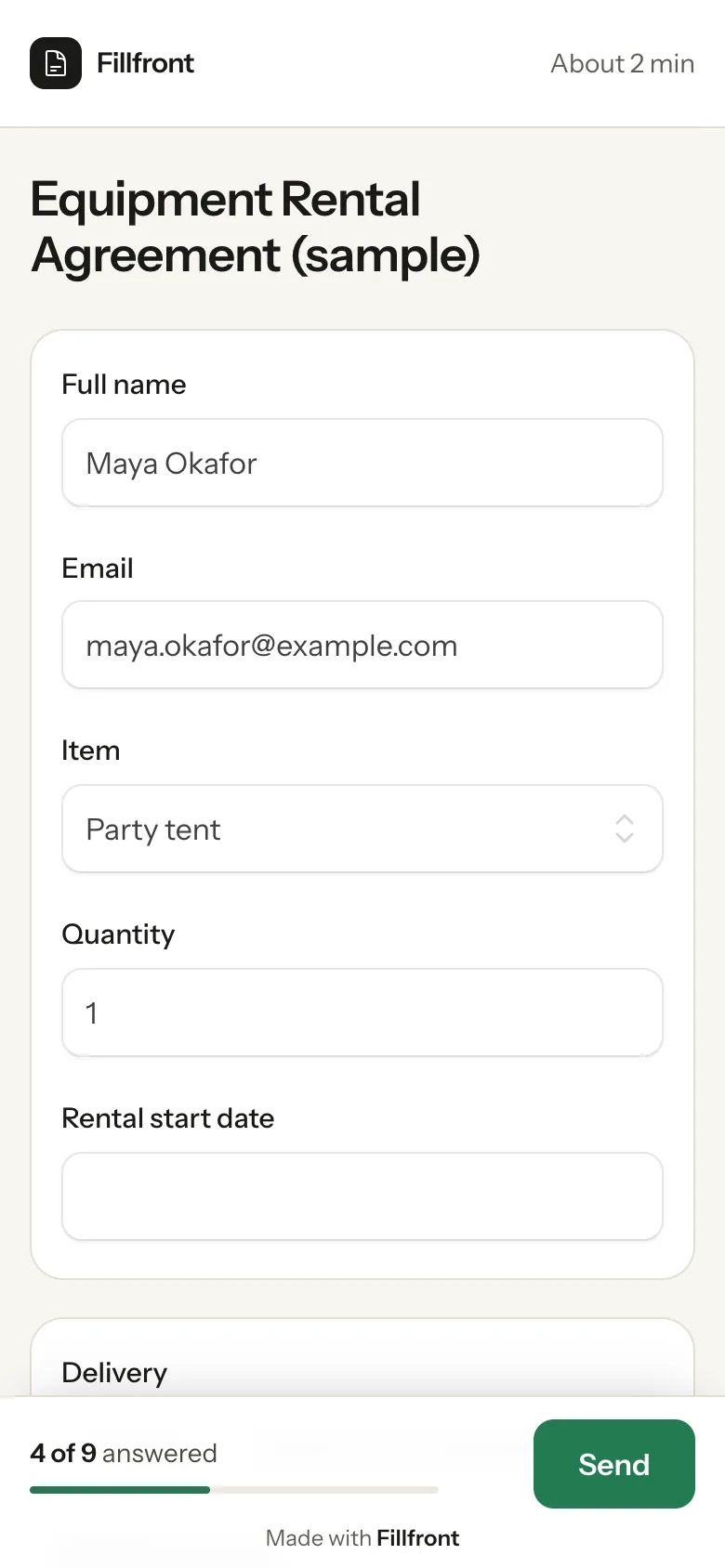
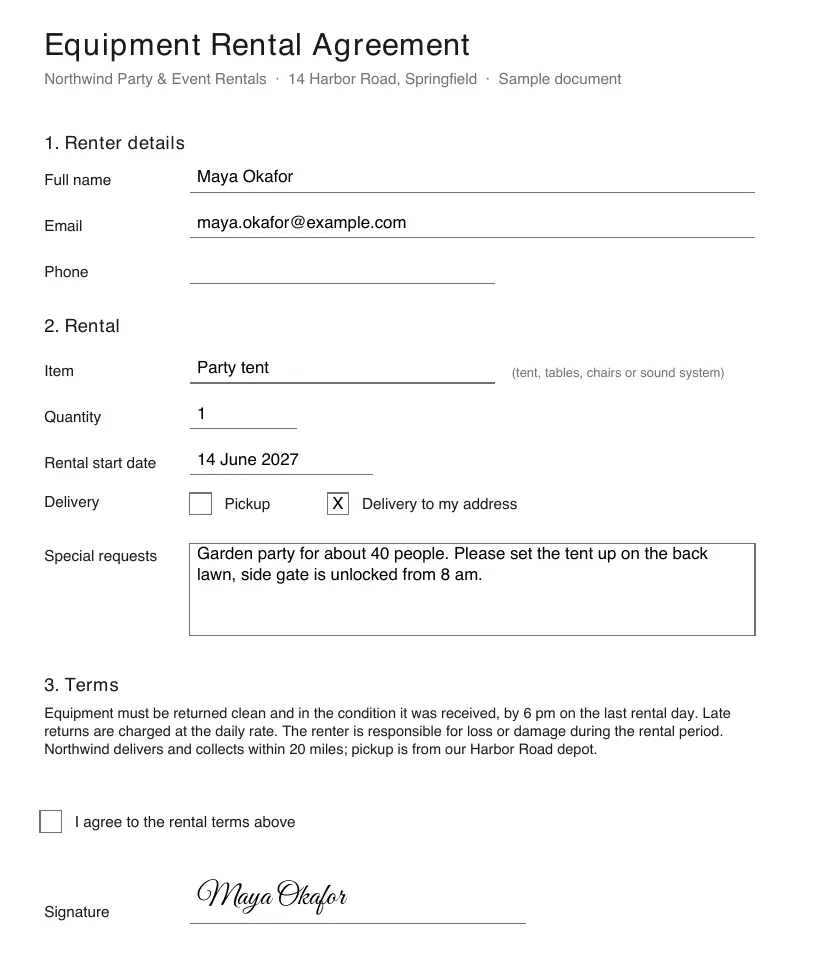
An equipment rental agreement, turned into a Fillfront form. The person filling it in never handles the PDF. It comes back to you with their answers on it.
Copied word for word, typos included, and each one links to the review it came from. We picked the ones that matter when you have a PDF to get filled in: the price, the billing and the form itself. Every tool here has happy users too.
Already made a fillable version in PDFescape? Upload that one. Fillfront picks up the fields you drew, and you only check the labels.
Upload your PDF, freeYes. The online editor is free, shows ads, takes PDFs up to 10 MB and keeps 10 files for 7 days. Premium removes the ads and adds editing of existing text from $2.99 a month billed yearly, or $5.99 month to month. Paid plans renew automatically until you switch off Auto Renew in your account.
Not through the free share link. PDFescape's own page says people can view, download and print a shared copy, but not change it. To collect answers you send the fillable file and wait for it to come back.
No. Fillfront turns your PDF into a web form and gives you back a completed PDF for every reply. If you need the fillable file itself, use a PDF editor such as PDFescape.
Yes. Underscored blanks, printed tick boxes, table cells and any fields already in the file are picked up on upload, named from the printed caption next to them. You check the list and draw any it missed.
Prices and quotes checked