If you use Formstack
,
Fillfront vs Formstack · Forms and document automation
Formstack can fill your PDF with form answers, through Formstack Documents. That is business automation: build a form, map each answer to the PDF, and pay for the Suite plan from $250 a month billed yearly. Fillfront starts from the PDF and gets you to a shareable link in a few minutes.
Set it to what you actually need.
Over three years you keep . Both free at this size. Formstack costs less at this size. Each Fillfront form after the first is one payment. Theirs renews. Fillfront is paid once per extra form.
If you use Formstack
,
If you use Fillfront
Paid once, unlimited replies
No more charges. Nothing renews, nothing to cancel.
Formstack prices read from www.formstack.com on 12 November 2026, in US dollars.
Formstack Documents is a document generator. You give it a template (a PDF, a Word file, a slide deck), it takes data from somewhere else, and it produces a finished document.
For a PDF form, the somewhere else is usually a Formstack form you build separately. Then you match each question to a field on the PDF. That is powerful when one set of answers has to produce a contract, a welcome letter and a Salesforce record at once. For one tenancy application, it is a lot of wiring.
Fillfront reads the PDF, finds the spaces where answers go, and builds the form from them. There is nothing to map, because the form and the PDF are the same thing.

If one of these is the reason you use it, stay. We would rather you did than switch and find a gap.
The same submission can fill a PDF, a Word letter and a slide deck. Fillfront fills the one PDF you uploaded.
If/else rules decide which parts of a document appear. Fillfront fills every field it is given.
Documents can pull data from Salesforce, HubSpot and SharePoint, and the plans list 300+ integrations. Fillfront has none.
Suite routes documents for approval and signature. Fillfront's signature is a typed name in a handwriting-style font.
| Formstack | Fillfront | |
|---|---|---|
| Starts from | A form you build, mapped to a template | Your PDF |
| Fills your own PDF | Formstack Documents, in Suite | Every form, including free |
| Price | Suite: $250 a month paid yearly, or $299 monthly | First form free, one payment per extra |
| Filled documents | 250 a month on Suite | Unlimited |
| Logic, integrations, Salesforce | Yes | No |
| Trial | 14 days of Forms, no card | No trial: the first form is free |
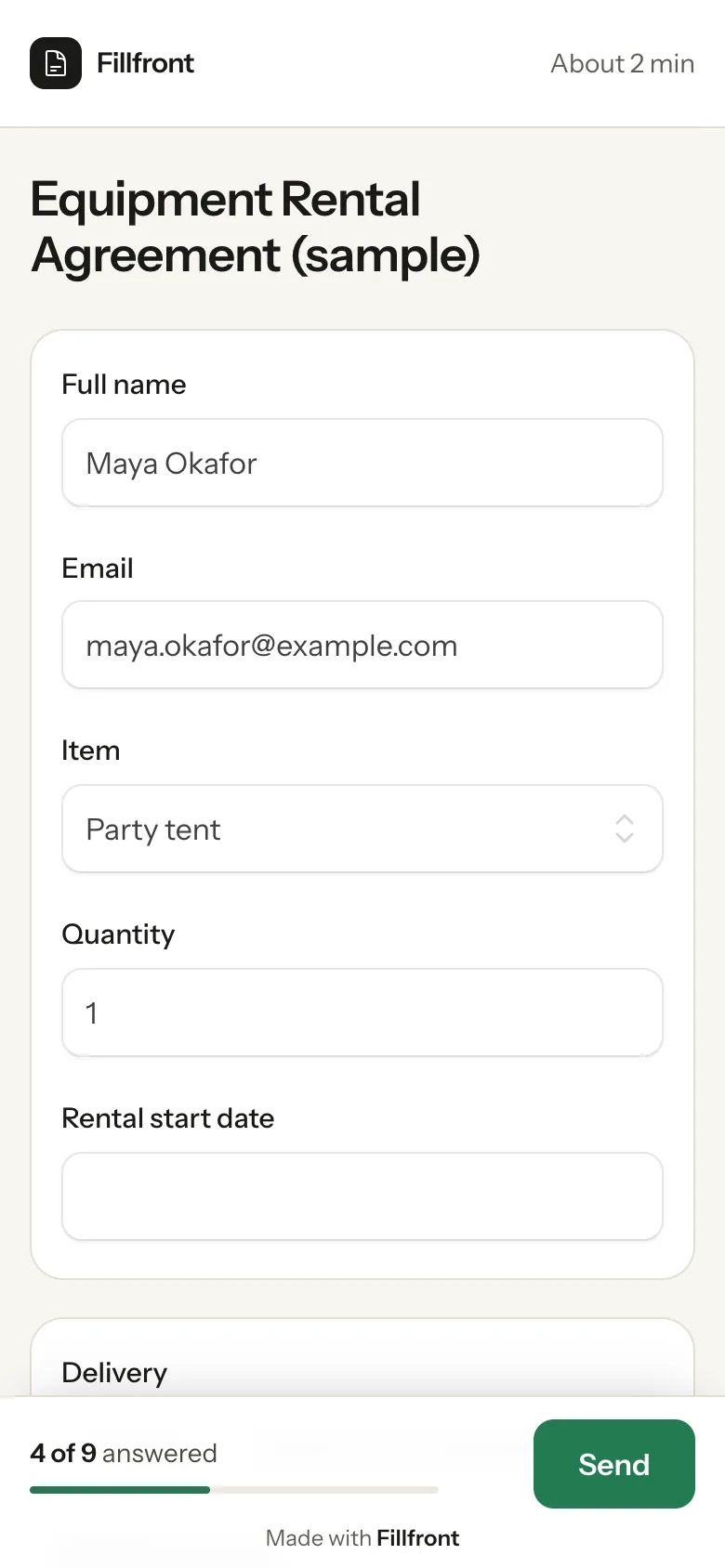
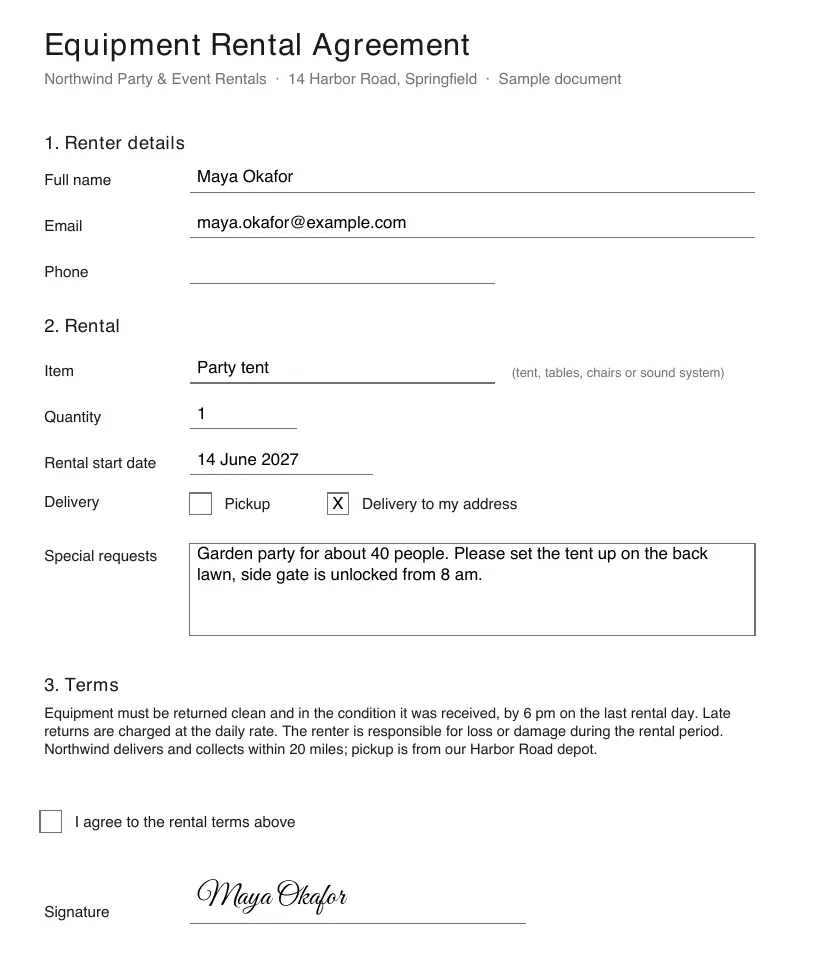
An equipment rental agreement, turned into a Fillfront form. The person filling it in never handles the PDF. It comes back to you with their answers on it.
Copied word for word, typos included, and each one links to the review it came from. We picked the ones that matter when you have a PDF to get filled in: the price, the billing and the form itself. Every tool here has happy users too.
“Notably they require you to cancel any auto renewal 30 days before the service expiration, and canceling is not intuitive”
★ Ted Gournelos, Trustpilot, . Read it
“Very hard to navigate for the set up process and I have found the support very very difficult to work with,”
★ Janine Ellis, Trustpilot, . Read it
“they told me I couldn't since it was within the 30 day window of their cancellation policy.”
★ JOHN SNEDEGAR, Trustpilot, . Read it
Reviewers mention a 30-day notice period for cancelling a Formstack renewal. Check your contract date before you switch.
Upload your PDF, freeYes, through Formstack Documents, which fills a PDF template with data from a form or another system. The form is built separately in Formstack Forms and mapped to the PDF's fields. Documents is part of the Suite plan, from $250 a month billed yearly.
Formstack's pricing page doesn't list it separately. It appears in the Suite plan, and the Documents product page offers a demo and a sales call.
No. Fillfront turns a PDF into a form and writes each reply back onto the PDF, with a CSV of every answer. If you need branching or a CRM connection, Formstack is the better tool.
Formstack offers a 14-day free trial of its Forms product with no card. Fillfront has no trial: your first form is free for as long as you use it.
Prices and quotes checked