If you use pdfFiller
,
Fillfront vs pdfFiller · PDF editor, subscription
pdfFiller is a PDF editor on a subscription. Plenty of its reviewers describe the same first visit: fill the form in on its site, press download, get asked for a card. Fillfront is built for the other side of that, when you have the PDF and other people need to fill it in.
Set it to what you actually need.
Over three years you keep . Both free at this size. pdfFiller costs less at this size. Each Fillfront form after the first is one payment. Theirs renews. Fillfront is paid once per extra form.
If you use pdfFiller
,
If you use Fillfront
Paid once, unlimited replies
No more charges. Nothing renews, nothing to cancel.
pdfFiller prices read from www.pdffiller.com on 12 November 2026, in US dollars.
You found the form you needed, typed your details into it on pdfFiller's site, and pressed Done. That is the point where reviewers describe being asked for a card.
pdfFiller's own reply to one of them explains that during the first month, card details are used for verification. The trial lasts 30 days. After it, Basic is $8 a month paid yearly ($96), or $20 month to month.
If what you actually need is to send one PDF to other people, none of that applies. Upload it to Fillfront, check the fields, share the link. The first form needs no card, and there is no trial to remember to cancel.

If one of these is the reason you use it, stay. We would rather you did than switch and find a gap.
Fix a typo in the form itself, white out a line, add a page. Fillfront never changes your PDF's own content, only adds answers on top.
pdfFiller records who signed and when. Fillfront's signature is a typed name drawn in a handwriting-style font, with no audit trail.
pdfFiller has a large catalogue of standard US forms to start from. Our template gallery is much smaller.
If you are the only person filling it in, an editor is the right shape of tool. Fillfront can do it, but it is built around collecting replies.
| pdfFiller | Fillfront | |
|---|---|---|
| Others fill your PDF from a link | Paid plan | Free for one form |
| Card needed to download | Yes | No |
| After the free part | $8 a month paid yearly, or $20 monthly | One payment per extra form |
| Replies | Unlimited | Unlimited |
| Edit the PDF's text | Yes | No |
| Support | Chat and email | A person, by email |
An equipment rental agreement, turned into a Fillfront form. The person filling it in never handles the PDF. It comes back to you with their answers on it.
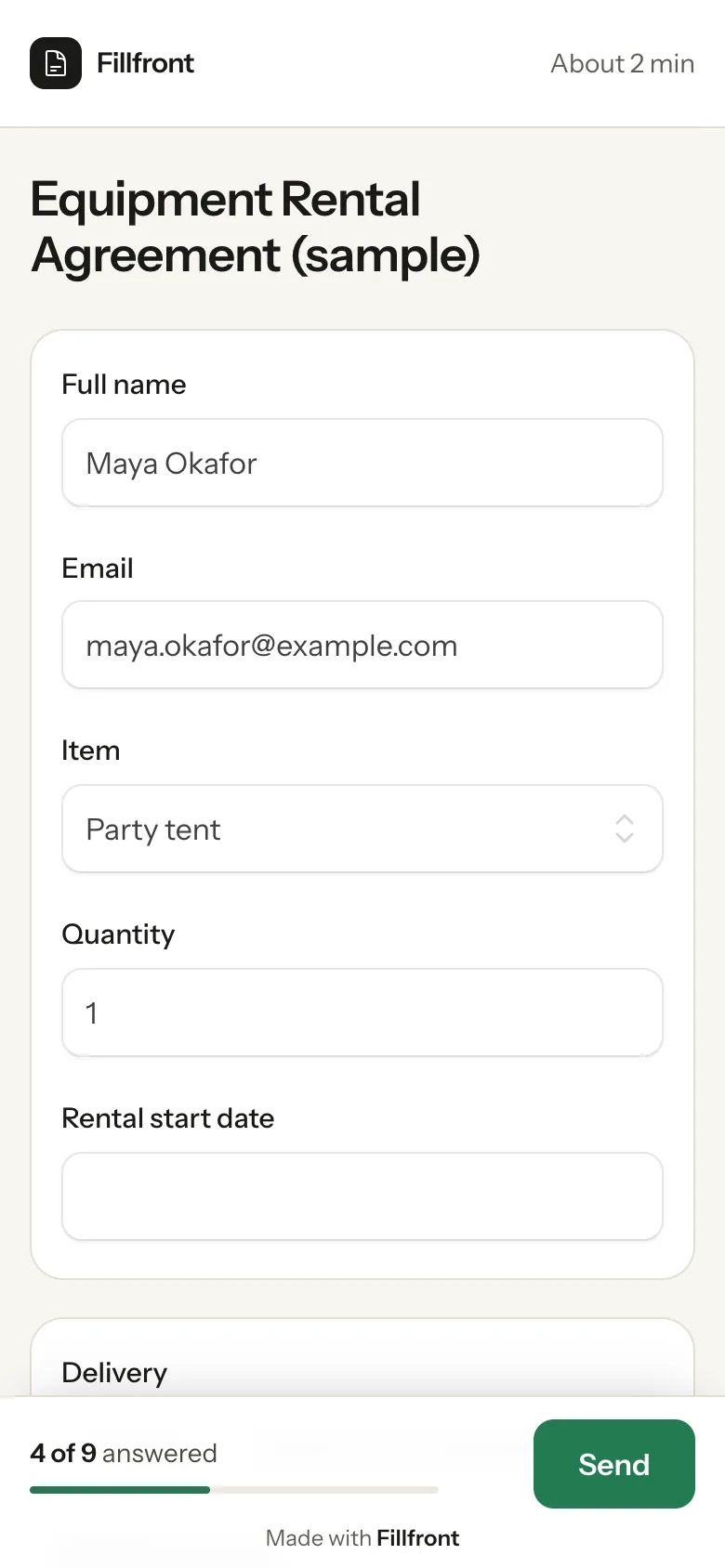
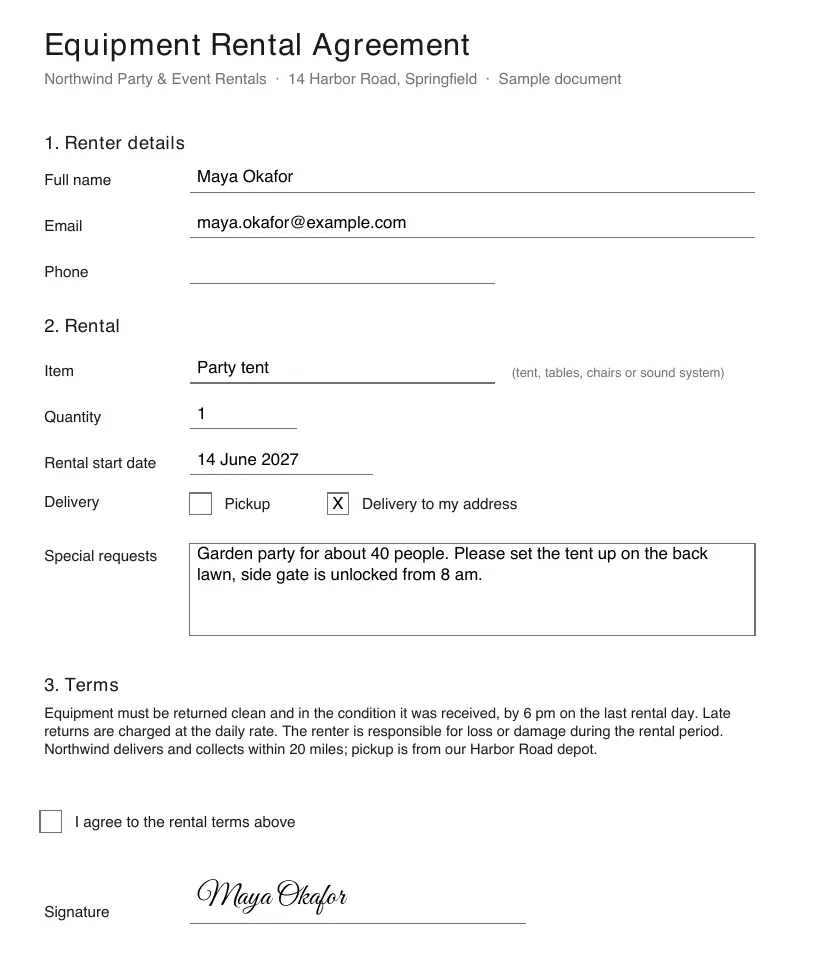
Copied word for word, typos included, and each one links to the review it came from. We picked the ones that matter when you have a PDF to get filled in: the price, the billing and the form itself. Every tool here has happy users too.
“They let you fill the form out completely and only when you go to save or download it do they attempt to charge you”
★ Chris Costanza, Trustpilot, . Read it
“make you pay to download the document.”
★ Josh, Trustpilot, . Read it
“I only needed one form, so I reluctantly entered my card information, downloaded the form and immediately cancelled.”
LLH31, ComplaintsBoard, . Read it
“I cancelled the free trial as soon as the request went through.”
★ Garrett Swanson, Trustpilot, . Read it
Cancel pdfFiller from your account page and keep the confirmation email.
Upload your PDF, freeIt has a 30-day free trial. Reviewers on Trustpilot describe being asked for card details before they could download, and pdfFiller's reply to one says card details are used for verification during the first month. After the trial, plans start at $8 a month paid yearly.
No. Fillfront places answer fields on top of your PDF and writes replies into them. The document itself stays as it is. If you need to change the printed text, do that in a PDF editor first and then upload the result.
Not for your first form. It is free, with unlimited responses, and there is no trial to run out. Every form after it is one payment, taken when you publish it.
No. A Pro form is paid once and stays Pro for as long as it runs. There is no subscription, so there is nothing to cancel.
Prices and quotes checked