If you use SignNow
,
Fillfront vs SignNow · E-signature
SignNow is an e-signature tool with real legal weight behind it. If your PDF is ten questions and a signature line at the bottom, you may be paying for weight you don't need. Fillfront collects the answers and the signature, writes them onto your PDF, and the first form is free.
Set it to what you actually need.
Over three years you keep . Both free at this size. SignNow costs less at this size. Each Fillfront form after the first is one payment. Theirs renews. Fillfront is paid once per extra form.
If you use SignNow
,
If you use Fillfront
Paid once, unlimited replies
No more charges. Nothing renews, nothing to cancel.
SignNow prices read from www.signnow.com on 12 November 2026, in US dollars.
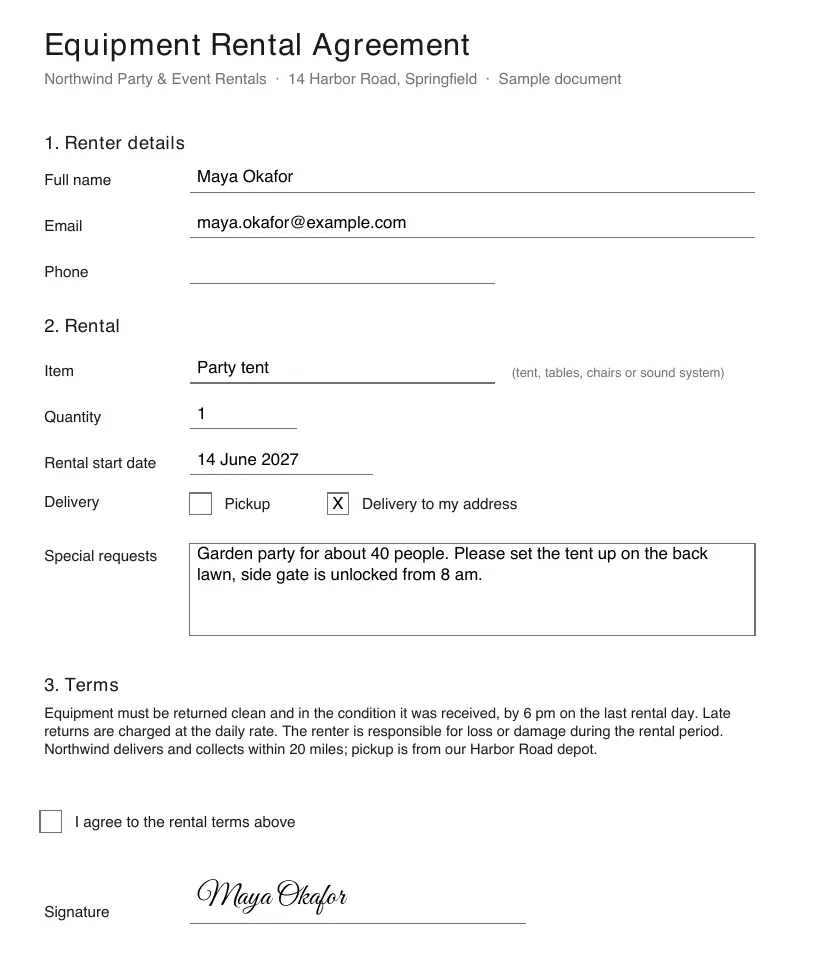
Take an equipment hire agreement: name, email, phone, the item, dates, delivery or collection, any special requests, and a signature at the bottom.
In SignNow that is a document with signer fields, sent by email invite or, from Business Premium up, by a signing link. Each signed copy lands in your Documents folder, with an audit trail behind it.
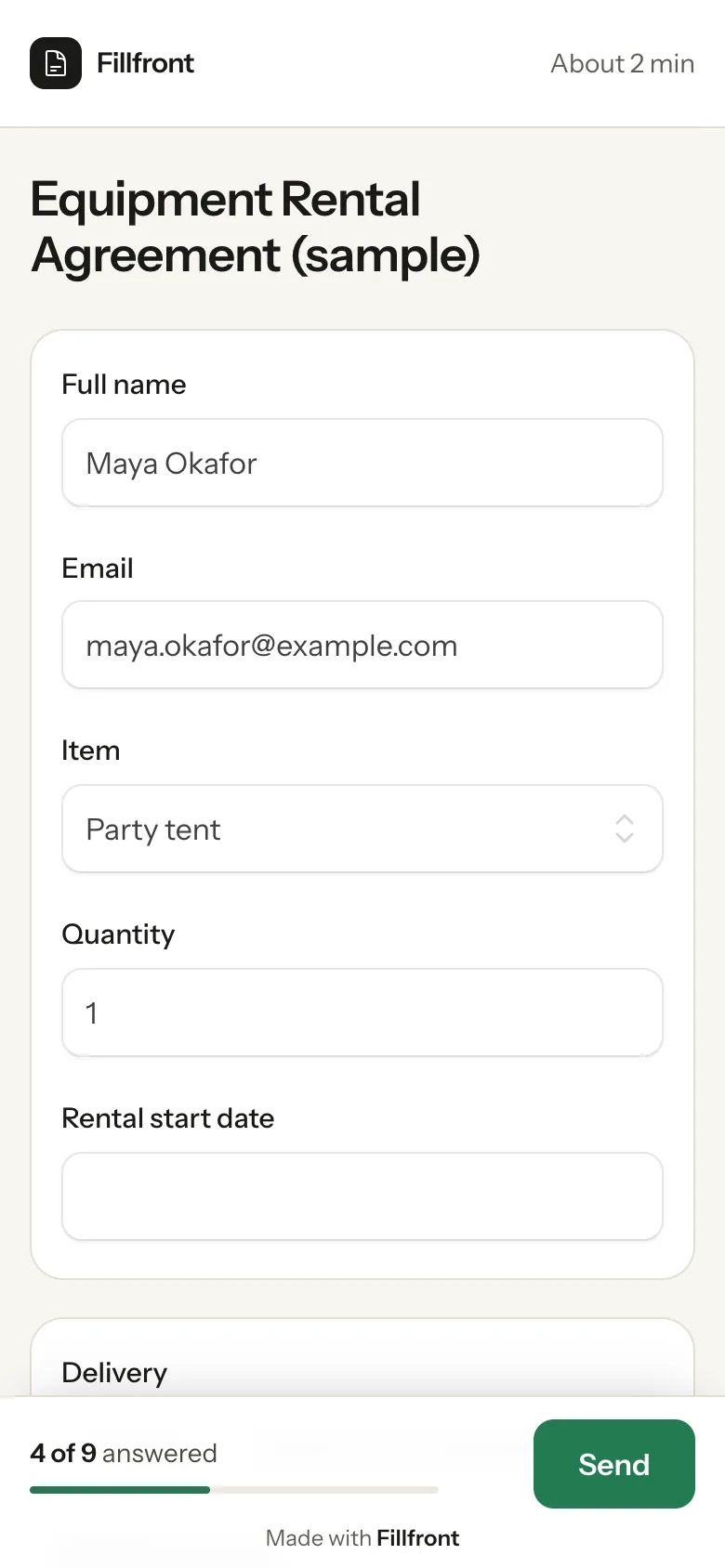
In Fillfront it is the same PDF as a web form. The fields are found for you, the signature is a typed name drawn in a handwriting-style font, and each reply comes back as the filled PDF. You give up the audit trail and signer checks. For a hire agreement that is usually fine. For a contract you might one day have to defend, SignNow is the better tool.

If one of these is the reason you use it, stay. We would rather you did than switch and find a gap.
SignNow's signatures are legally binding and come with an audit trail. Fillfront doesn't verify who signed.
Bulk send puts one contract in front of many people at once, and a document can have more than one signer. In Fillfront, each person who opens the link fills in their own copy.
On higher plans the signer can pay as they sign. Fillfront has no payment step.
Google Drive, Microsoft Teams, Salesforce and more. Fillfront gives you PDFs and a CSV.
| SignNow | Fillfront | |
|---|---|---|
| A link anyone can fill in | Business Premium and up | Every form, including free |
| Signature | Legally binding, audit trail | Typed name in a handwriting style |
| Each reply comes back as | A signed copy in Documents | Your PDF, filled in |
| Price | $15 a month paid yearly, or $30 monthly | First form free, one payment per extra |
| Limits | 100 invites a year on annual plans | None on replies |
| Bulk send, payments, integrations | Yes | No |
An equipment rental agreement, turned into a Fillfront form. The person filling it in never handles the PDF. It comes back to you with their answers on it.
Copied word for word, typos included, and each one links to the review it came from. We picked the ones that matter when you have a PDF to get filled in: the price, the billing and the form itself. Every tool here has happy users too.
“I received no notification about this change to the way our subscription worked.”
★ Fred, on a 100-invite limit, Trustpilot, . Read it
“every filed I´m either completing or setting up for the client to complete, moves with me around the page”
★★★★ FabbyA, Trustpilot, . Read it
“Easy to use and wont require my clients to download the app to their phone.”
★★★★★ ANTONIO GONZALEZ, Trustpilot, . Read it
Download your signed documents from SignNow before the plan ends.
Upload your PDF, freeFillfront draws the signer's typed name onto your PDF in a handwriting-style font. It doesn't verify who signed or keep an audit trail. That is enough for many everyday forms. If you need a signature you could defend in a dispute, use a dedicated e-signature tool such as SignNow.
SignNow's own pricing post (November 2026) lists Business at $8 a month paid yearly or $20 monthly, Business Premium at $15 or $30, and Enterprise at $30 or $50. Shareable signing links start on Business Premium, and there is a 7-day free trial.
No. They open the link in any browser, fill it in and send. No app, no account, no download.
No. Each person who opens the link fills in and signs their own copy. For a document that needs more than one signature, SignNow is the right tool.
Prices and quotes checked